Chatty: your own ManyChat for Instagram, no subscription
A DM inbox, keyword automations and a visual flow builder that run on your own Firebase, with your data. It's open source.
By Bruno Varela · September 25, 2026 · 8 min

Chatty is an open-source dashboard for automating your Instagram messages: your own ManyChat, installed in your own Firebase project and holding your own data. It comes with a real-time inbox for your DMs, keyword automations, a visual flow builder and your account's analytics.
We published it on GitHub under the MIT license: you can use it, change it and deploy it for yourself or for your clients. It grew out of the dashboard we use to run the Instagram of @brunovareliuu, the one with the posts that ask you to comment a word to get a guide.
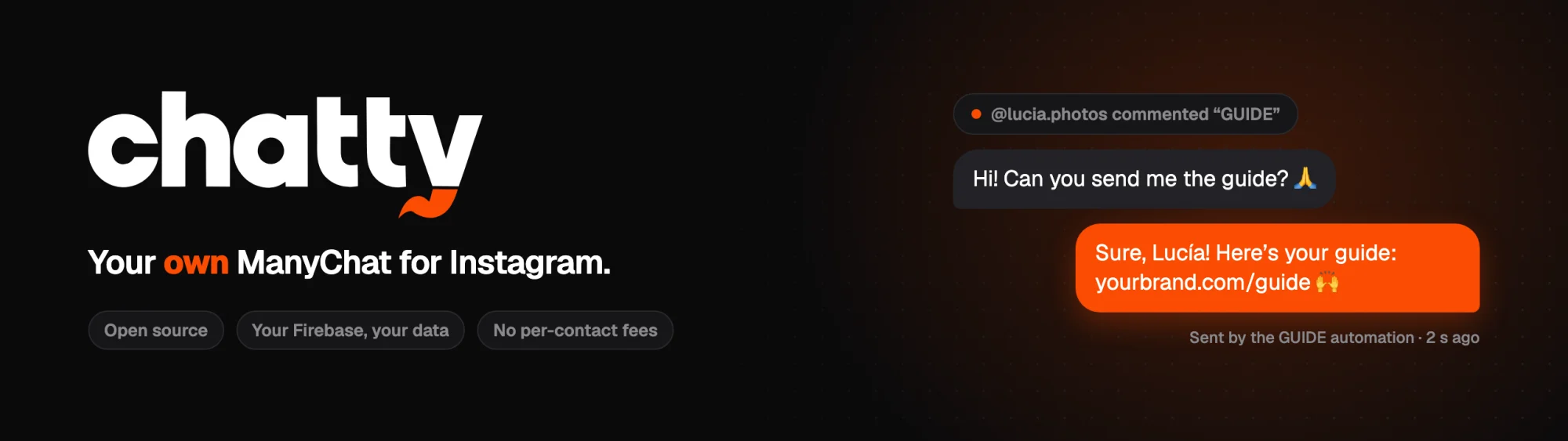
Here's what it does, how it differs from a subscription platform, what you need to install it and the limits Meta sets, which apply to any tool alike.
What Chatty does
One inbox for all your DMs
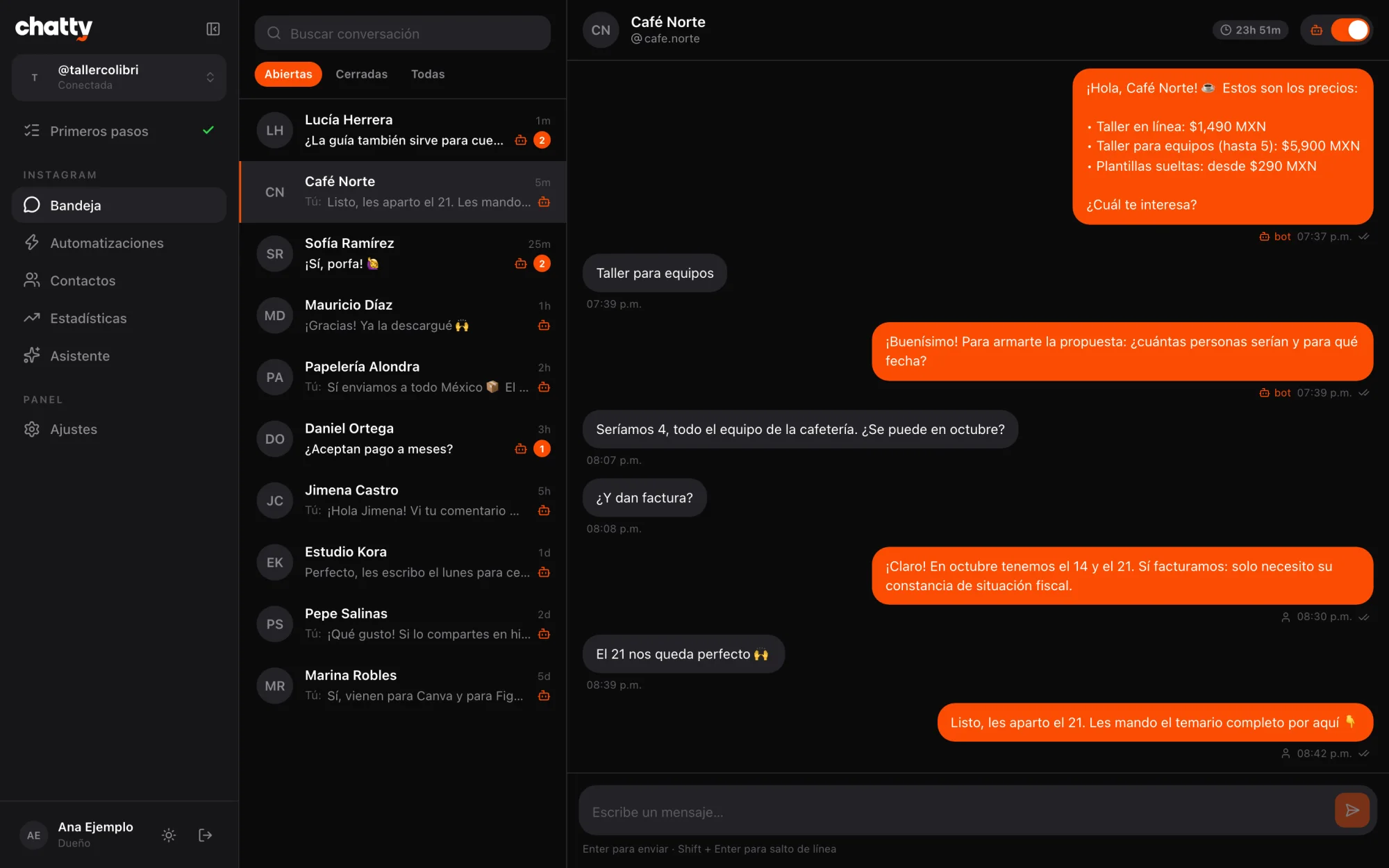
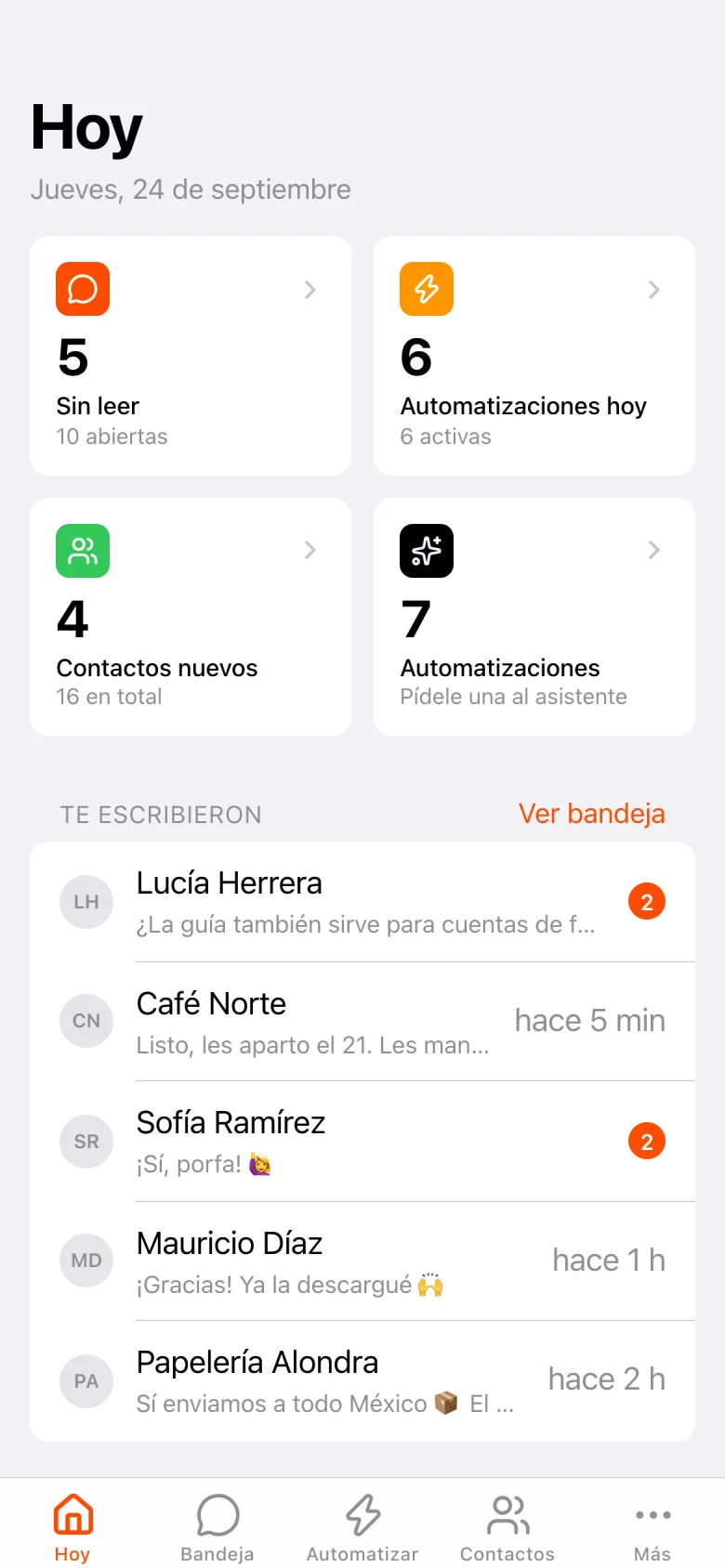
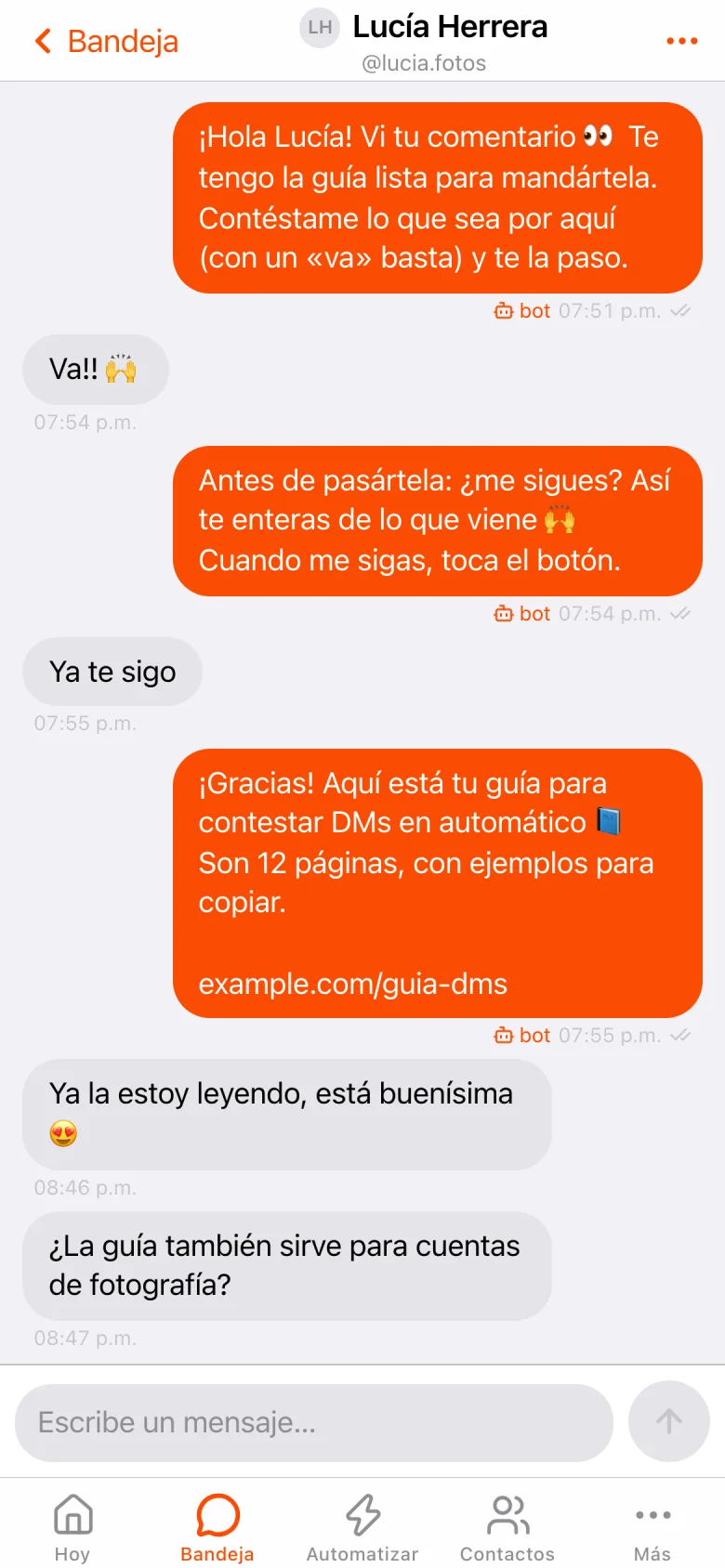
Every direct message on your Instagram arrives in real time in a single inbox, on the web and on your phone. You can see who came from an ad and take over whenever a flow hands the conversation to a person.
Keyword automations
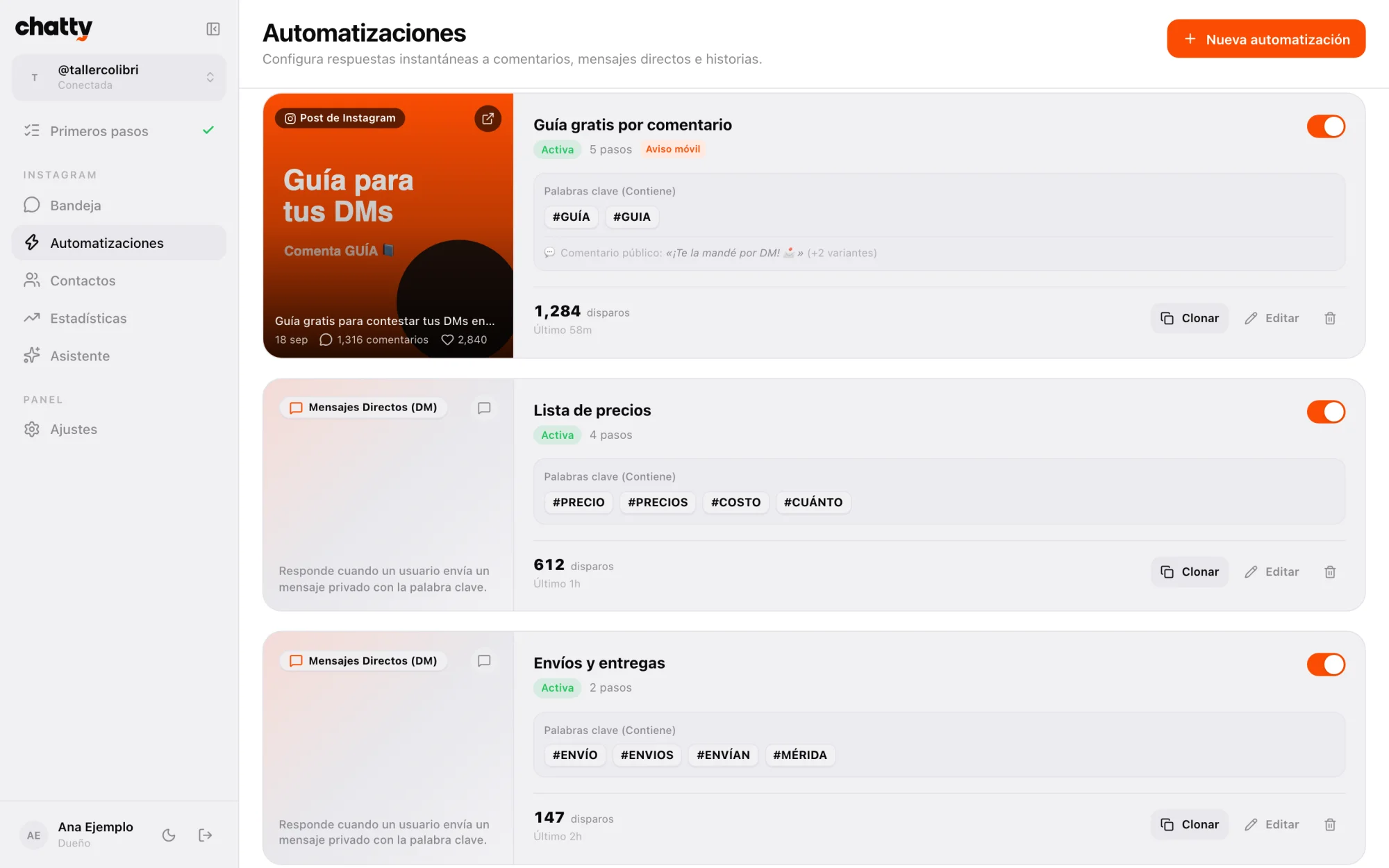
They fire on a keyword in a DM, a comment on a post (the classic "comment GUIDE and I'll send you the link"), a reply to a story, someone's first message, or as a default reply. You can set several public replies picked at random, priorities and frequency limits.
A visual flow builder
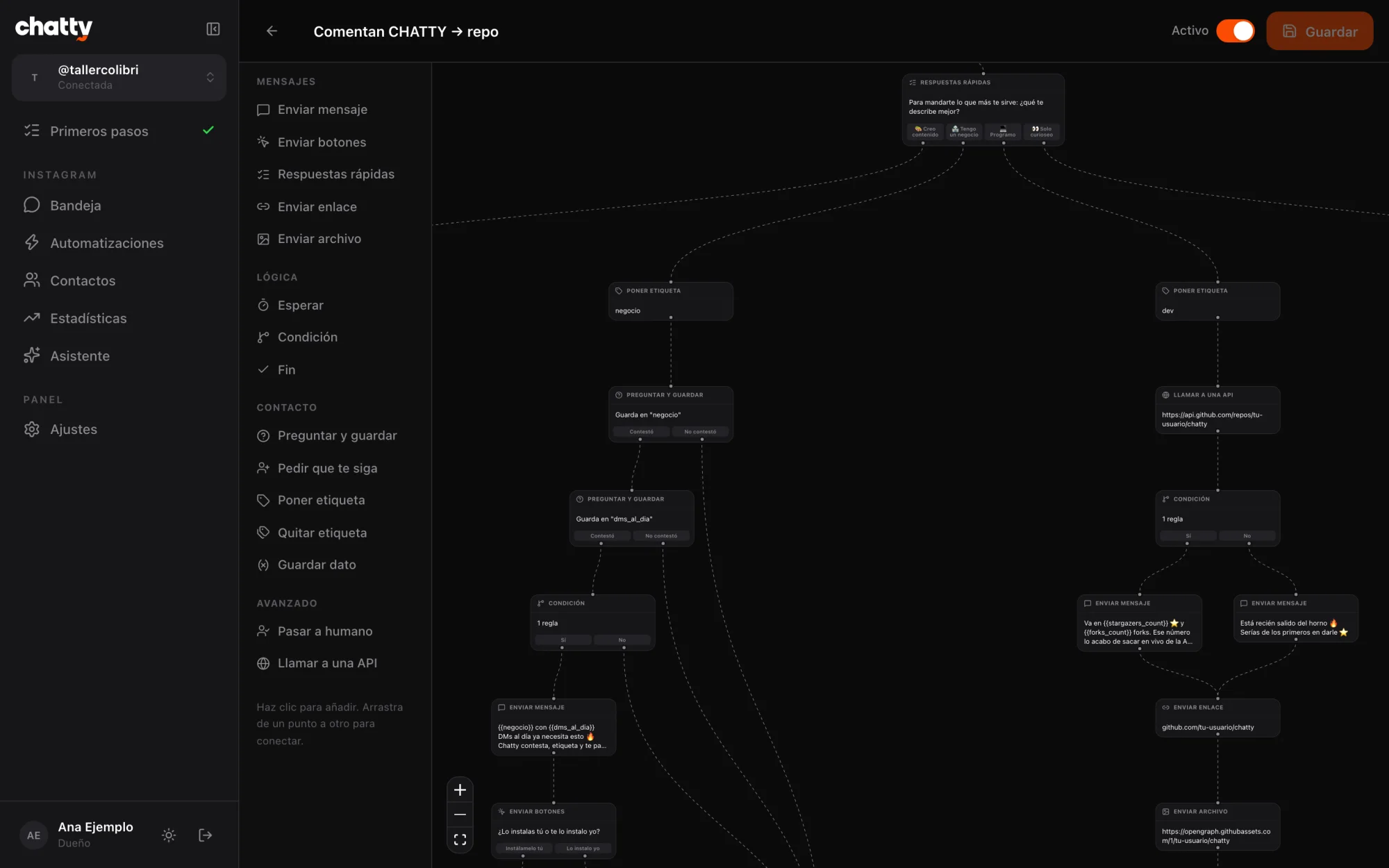
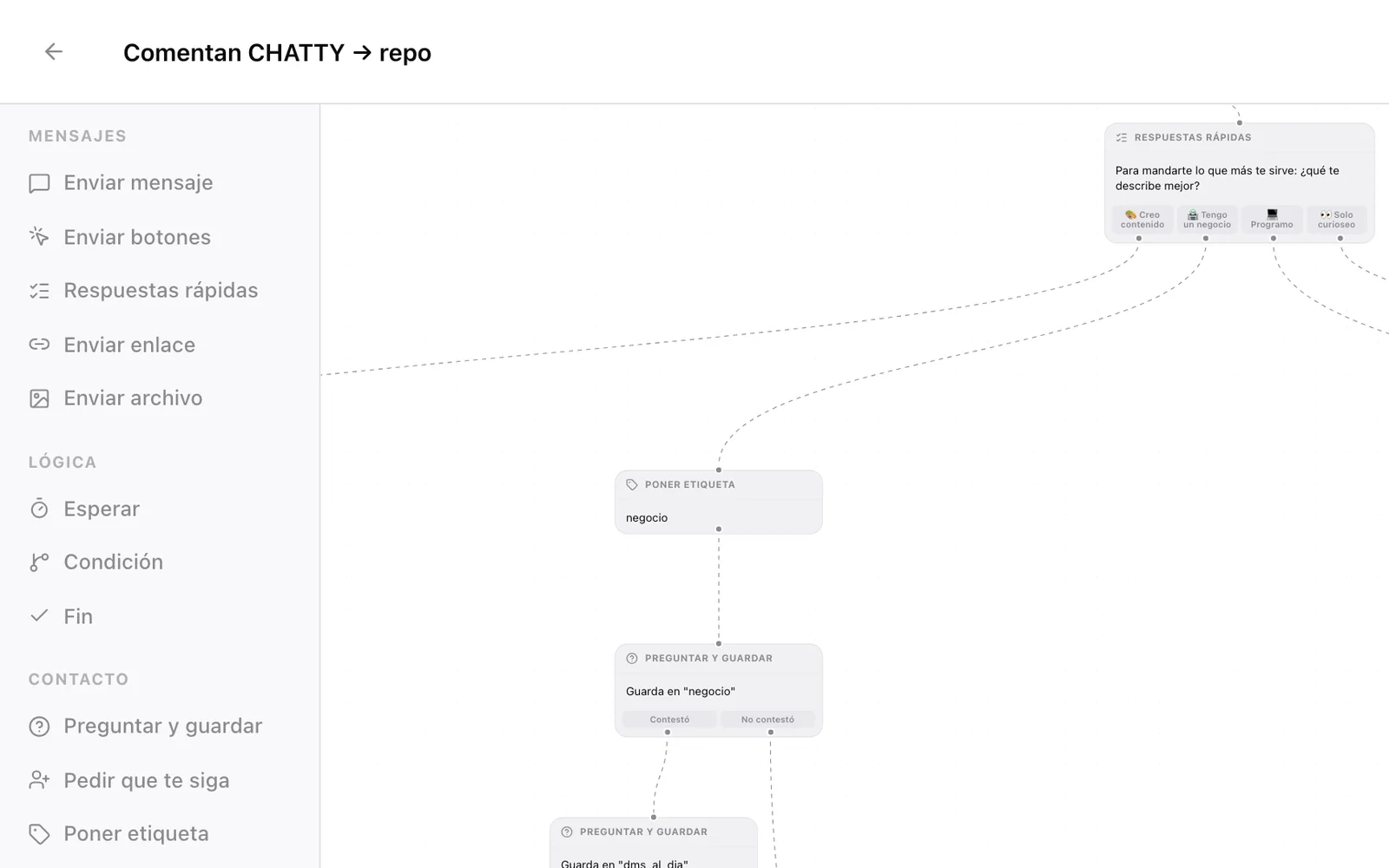
Each automation runs a flow you build with nodes: messages, buttons, links, quick replies, questions that save the answer, "ask to follow", waits, conditions, tags, handoff to a human and calls to your own API. The repo ships with a 55-node template ready to load.
Contacts, analytics and a phone app
On top of the core, it includes:
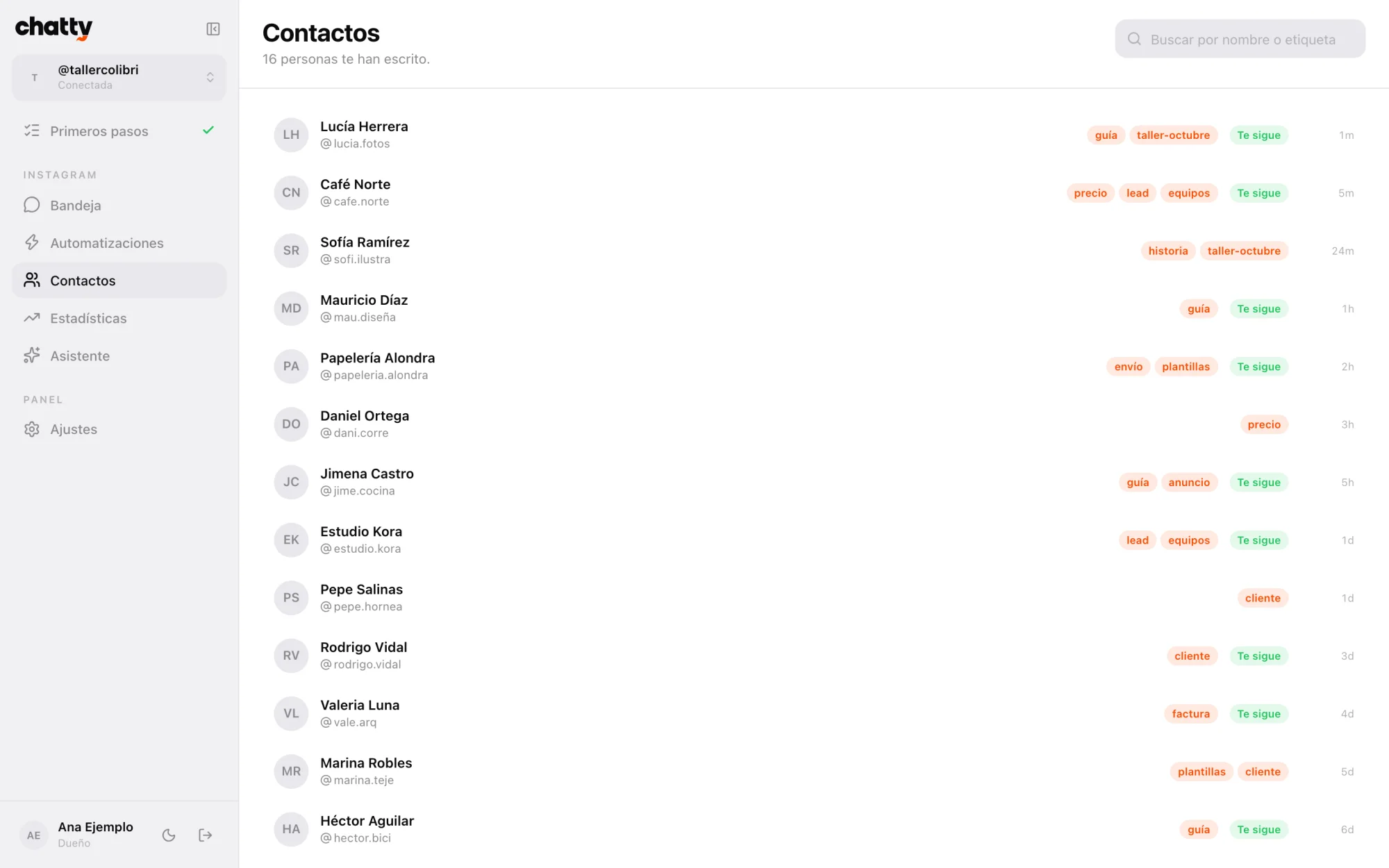
- Contacts with their tags, notes and everything your flows captured.
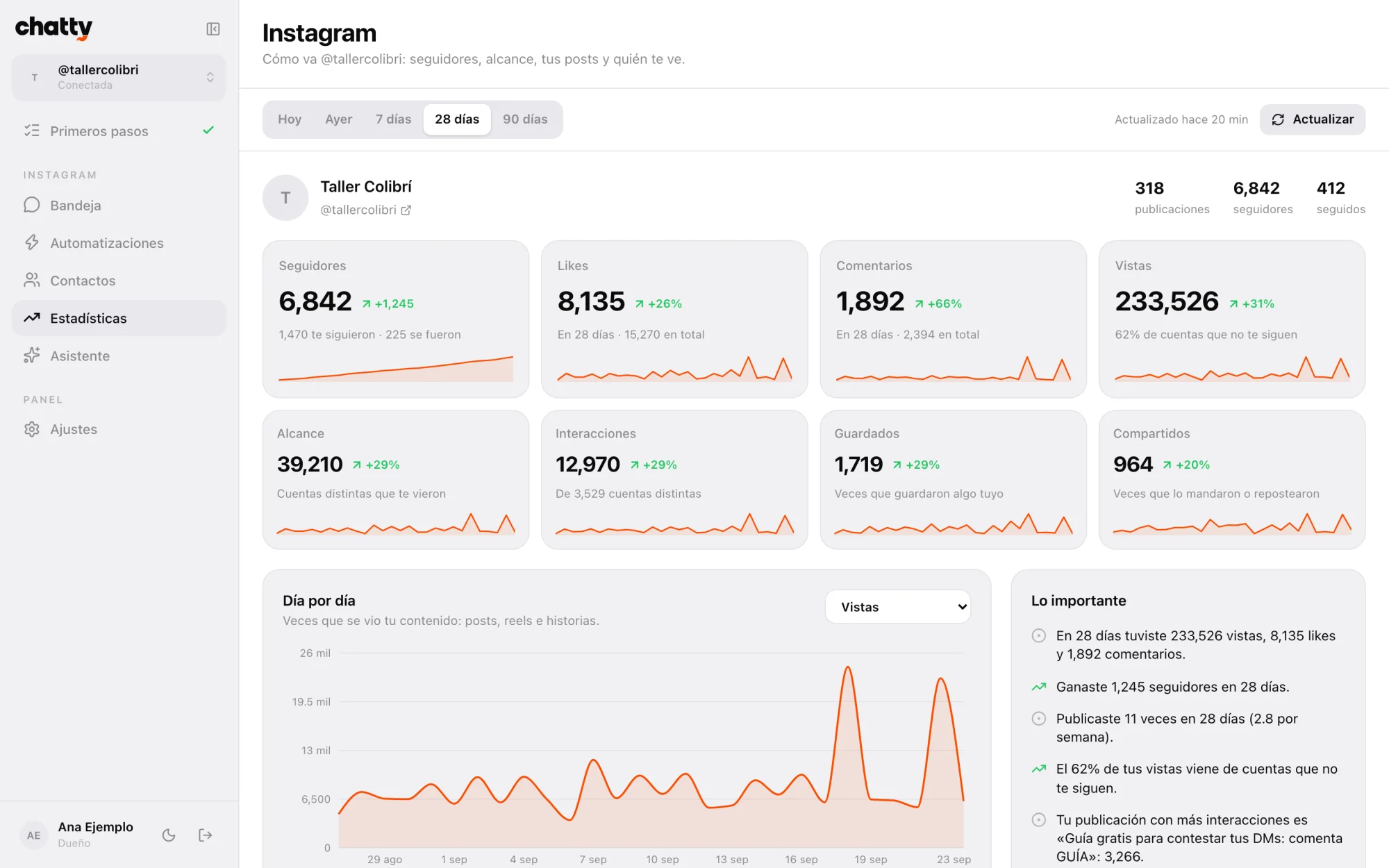
- Analytics for followers day by day, reach, views, posts and audience. A cron job keeps saving them, because Meta doesn't keep the history.
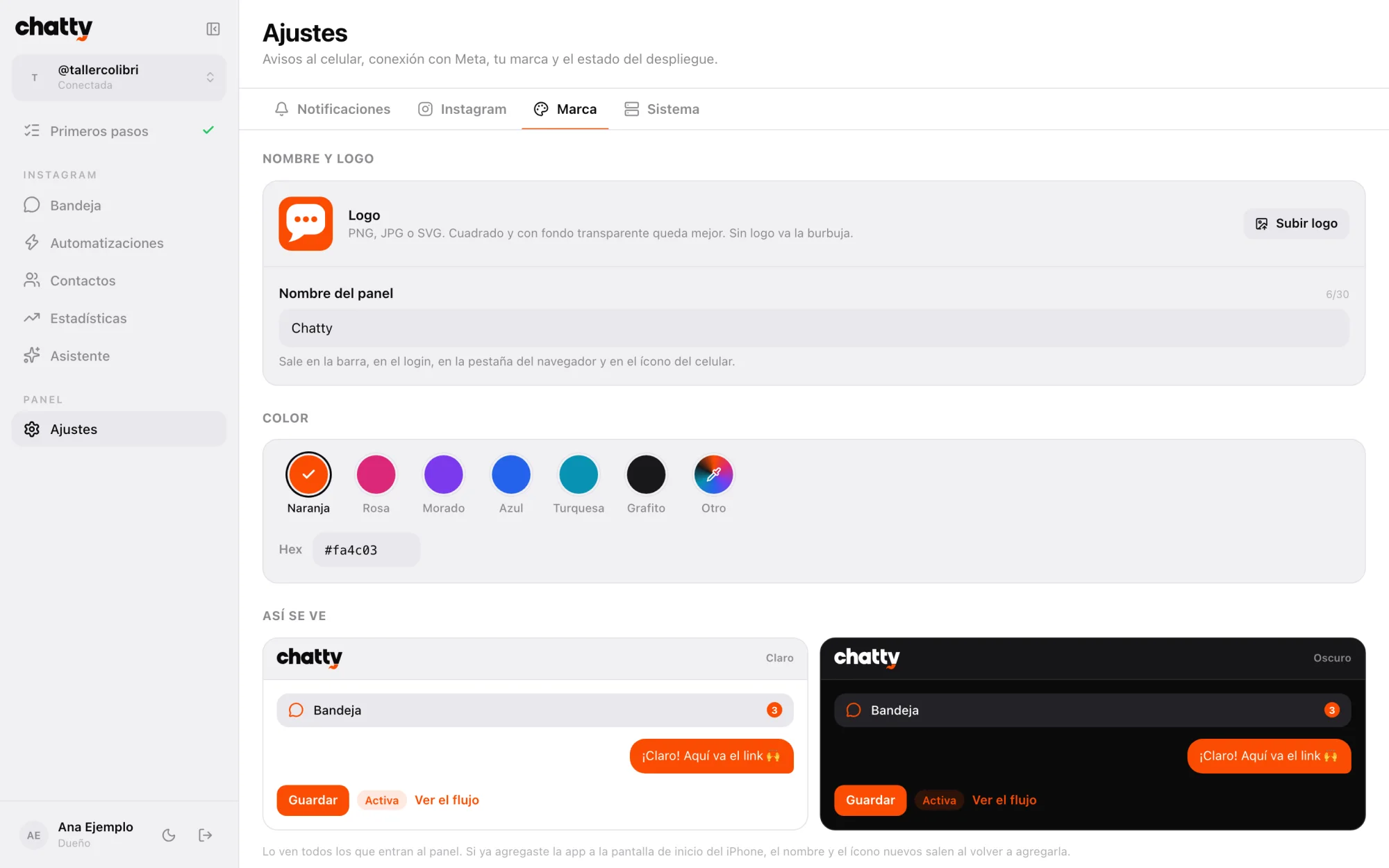
- A phone app you install from the browser, no app store needed, with push notifications for automations, comments and unanswered DMs.
- A Claude assistant, optional, that builds automations when you ask it to.
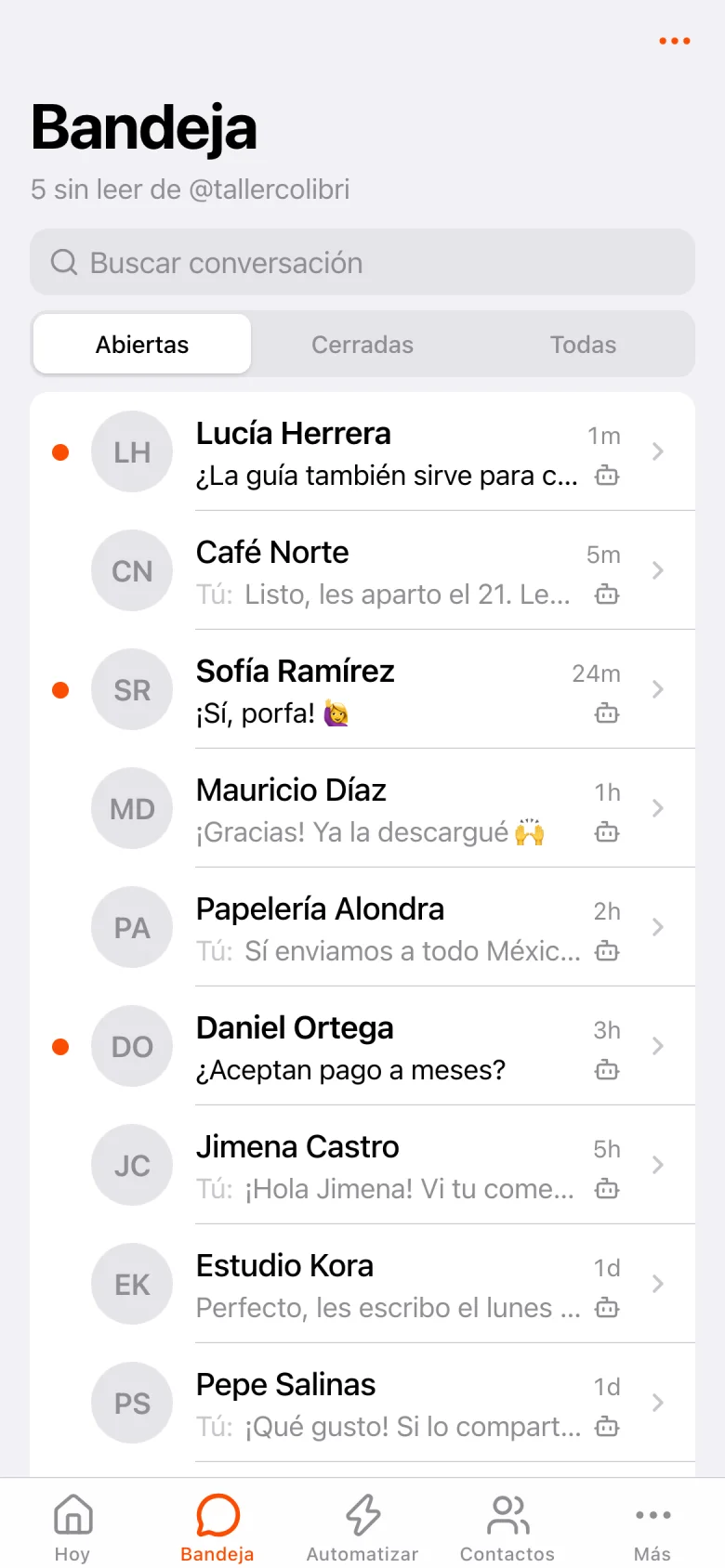
What an automation looks like, end to end
The most common case on Instagram is giving something away in exchange for a comment. This is how you set it up in Chatty:
- You publish a post asking people to comment a word. For example, GUIDE.
- Someone comments GUIDE. Chatty replies to the comment publicly with one of the replies you wrote, picked at random so it doesn't look repetitive.
- They get a private DM. At the same time, Chatty sends them a private message with your link.
- If they reply, the flow keeps going. You can ask them to follow you, ask them a question or send the link with a button.
- They're saved in Contacts. With their tags and what they answered, so you can find them later.
All of it shows up in the inbox as a normal conversation. If at some point the person asks something the flow can't answer, a "handoff to a human" node leaves it ready for you to take over.
How it differs from a subscription platform
ManyChat and similar tools work well and are quick to set up. The difference with Chatty isn't in the basics, it's in who owns everything:
Subscription platform
- You pay a monthly fee that usually grows with your contacts
- Your conversations live on another company's servers
- The company decides prices, features and limits
- Ready in minutes, no code
- Several channels, depending on the plan
Chatty
- You only pay for the Firebase you use
- Everything lives in your Firebase project, with your data
- The code is yours: change it however you want
- Takes one to two hours to install and a developer account
- Instagram only, on purpose
If you need WhatsApp or Messenger, Chatty isn't for you: it's Instagram only. If you want to stop paying per contact and keep your conversations in your own database, it is.
Try it in two minutes, with zero setup
You don't need to connect anything to see it. All you need is Node.js 20 or newer:
git clone https://github.com/brunovareliuu/chatty.git
cd chatty/web
npm install
npm run dev
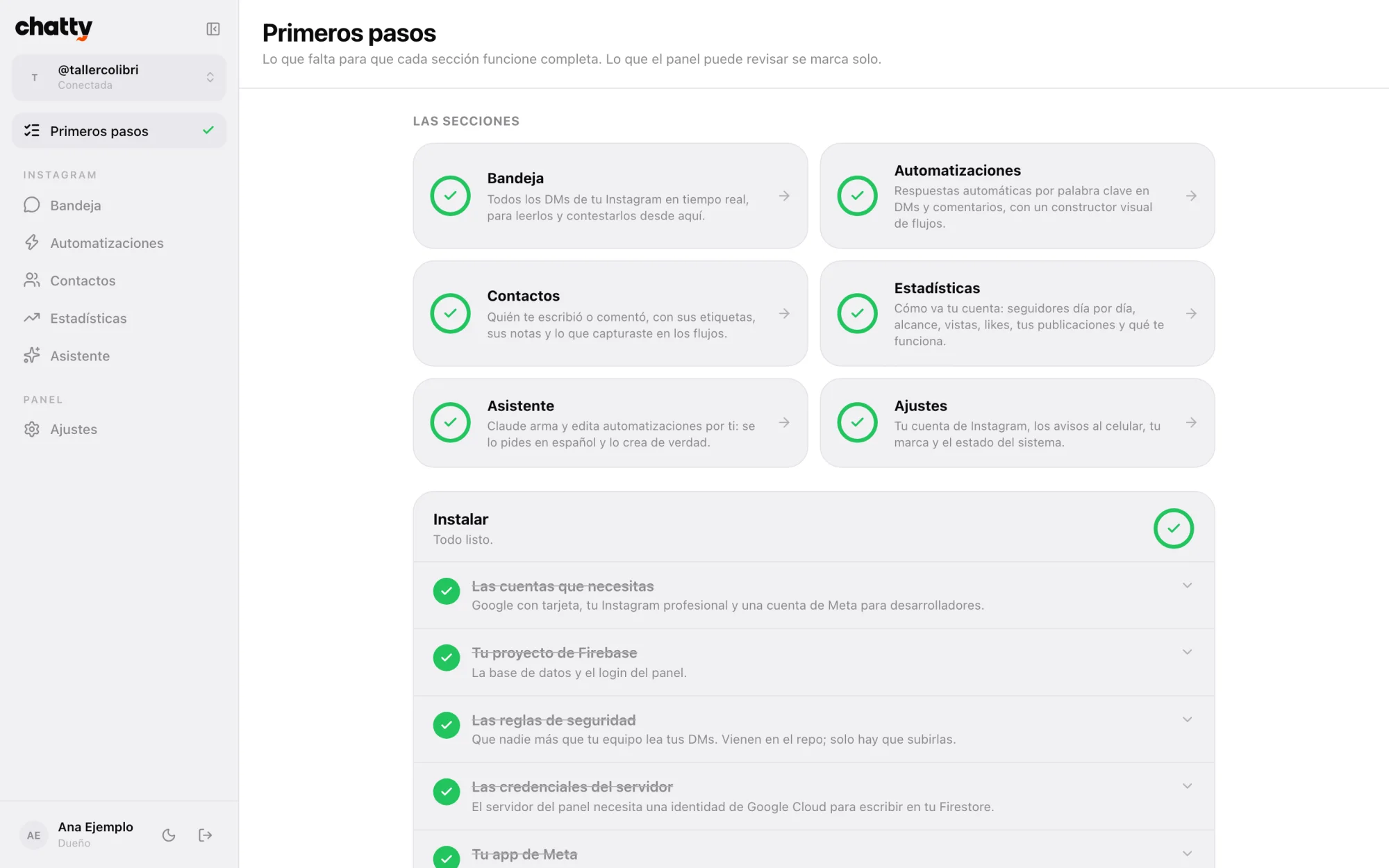
When you open localhost:3000 the app starts in guide mode: every section shows what it looks like working, with fictional data, plus a checklist of what's missing. "Primeros pasos" (first steps) gathers everything with your progress, and whatever the dashboard can check by itself, like environment variables or your first DM, gets ticked automatically.
What you need to install it for real
With everything at hand, the full installation takes one to two hours. Every step has its own guide in the repo's docs folder, down to which button to click. This is what you need:
- A Firebase project on the Blaze plan, pay as you go, because App Hosting, Secret Manager and Cloud Scheduler require it.
- A professional Instagram account, business or creator.
- A free Meta for Developers account, for the app that connects your Instagram.
- A GitHub account, because App Hosting deploys from your copy of the repo.
- Node.js, the Firebase CLI and gcloud on your computer.
- Optional: a Claude API key, if you want the assistant.
Once deployed, every push to your main branch goes live on its own, and a cron job runs every minute to wake up waiting flows, renew the Instagram tokens and collect the analytics.
Meta's limits, which apply to any tool
Some rules aren't set by Chatty but by Meta, and no serious tool gets around them. It pays to know them before you design your flows:
- 24-hour window. You can only message someone freely during the 24 hours after their last message.
- One private DM per comment, within 7 days and text only. The rest of the flow waits for the person to reply.
- Checking whether someone follows you only works after they messaged you or tapped a button.
- Sizes: messages up to 1000 bytes, 3 buttons and 13 quick replies.
- Third-party accounts: to connect accounts that have no role in your app, Meta requires an app review.
That's why, in a flow that starts with a comment, the first message's buttons turn into text, and "ask to follow" lets the person through when Meta won't let you check.
Your data stays with you
Since it runs on your Firebase, nobody else sees your conversations or your contacts. Also:
- Only the email addresses you authorize can sign in.
- Instagram tokens are stored encrypted, in a part of the database no browser can read.
- Every notification Meta sends is verified with its signature before anything is touched.
- AI doesn't reply to your followers: the assistant works for you, and what they receive is what you decided in your flows.
When it makes sense for us to help
Chatty is designed so that someone with development experience can get it running by following the guides. If you run a business and don't want to wrestle with Meta's console, or you need something that doesn't fit in a flow, like connecting your DMs to your own ordering system, that's a custom project.
Tell us what you want to automate in our quote form and we'll look at it together. And if you'd rather do it yourself, the repo is at github.com/brunovareliuu/chatty: issues and pull requests are welcome.
Preguntas frecuentes
Is Chatty free?
The code is free, under the MIT license. What you pay for is Firebase on the Blaze plan, which charges by usage: with the traffic of one person or a small team it's usually cents a month. The Claude assistant is paid separately, and only if you use it.
Does Meta need to review my app to use Chatty?
Not if you only connect your own accounts: adding them as testers of your Meta app is enough. For other businesses to connect theirs, Meta requires business verification and an app review.
Can I connect several Instagram accounts?
Yes. Each account has its own inbox, automations and contacts, and you switch between them from the sidebar.
Does Chatty work with WhatsApp or Messenger?
No. Chatty is Instagram only. If you need to automate WhatsApp, we can talk about it as a separate project.
How do I set up "comment a word and I'll send you the link" on Instagram?
With a post-comment automation: you pick the post, the keyword and the flow it triggers, which starts with a private DM containing your link. Meta allows one private DM per comment, within 7 days and text only.
Sources
- brunovareliuu/chatty — GitHub