Guide · 10 steps
inspo: from your idea to a finished page with Claude Code
Install inspo in Claude Code: it gathers 50 references per section and draws your page in several styles, you vote on a board, and Claude builds it with you.
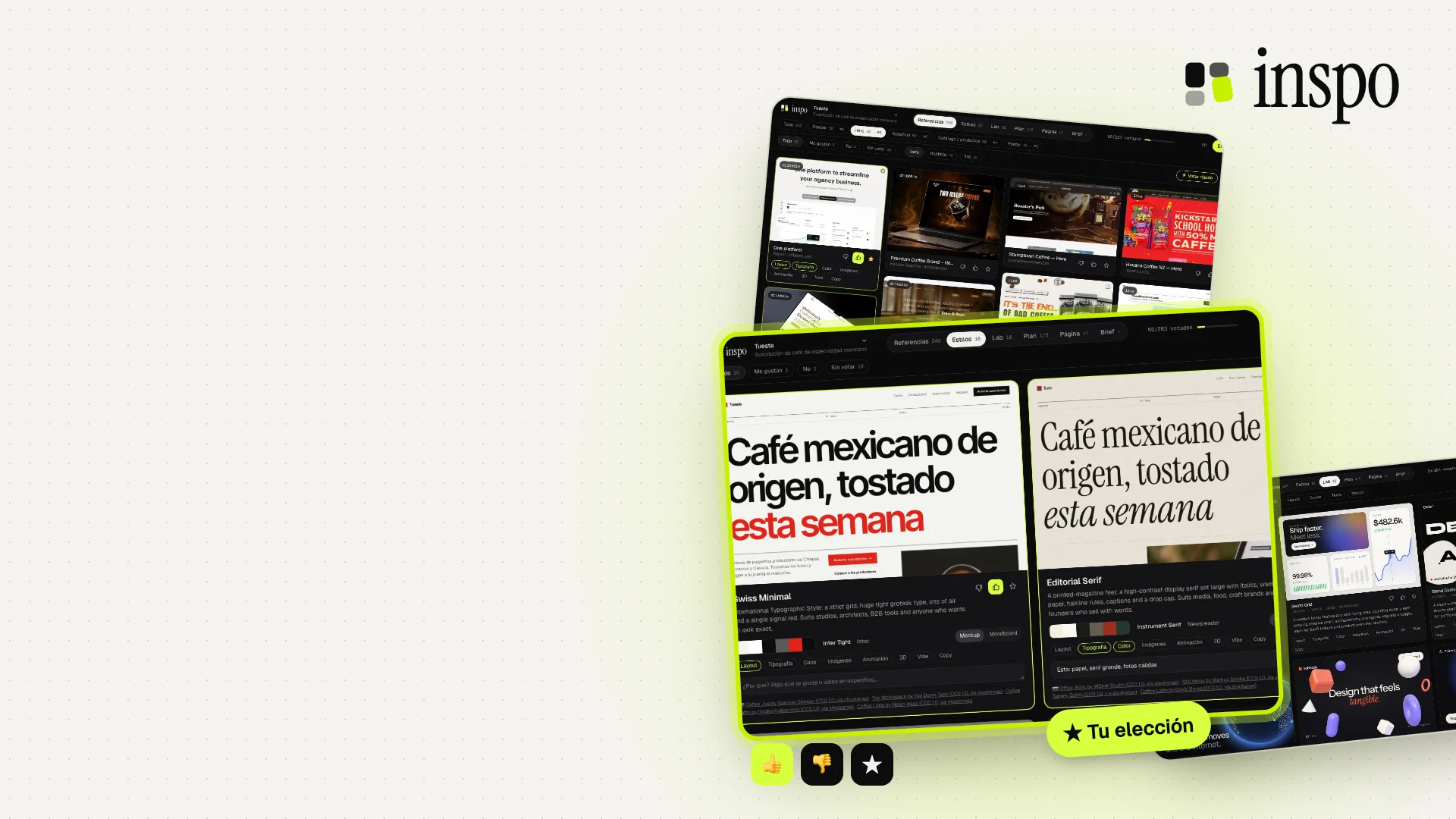
Stop describing your page: vote
inspo is a free, open-source plugin I made for Claude Code. You tell it your idea, and in a few minutes you have about 50 real references for each section of your page (the navbar, the hero, the catalog, the footer…), your landing page drawn in several styles with real photos, and a lab of 3D effects and animations.
All you do is vote 👍, 👎 or ★ on a board. Claude reads your votes, looks at the images you liked and builds the page. Then you comment on it section by section until it's right.
It works for websites, web systems (dashboards, admin panels, SaaS) and mobile apps. I'll show you how to install it and use it from start to finish.
Step 1: What inspo is
It's two pieces that install together: a skill, which teaches Claude how to run the conversation, and an MCP server, which does the heavy lifting on your computer with your own Chrome. It visits galleries like Awwwards, Dribbble and Siteinspire, opens award-winning sites, closes the cookie banners and crops out just the section you care about. That way you compare footers with footers and heroes with heroes.
Out of every 50 references, about 40 are from your industry and about 10 come from anywhere, for ideas you wouldn't have gone looking for.
Step 2: Install it in 30 seconds
You need Claude Code, Node 20 or newer, and Google Chrome. Open Claude Code and paste the two commands below, one at a time. The first time it starts, inspo installs whatever it's missing on its own; it takes about a minute.
To check that it worked, restart Claude Code and type /inspo: if it shows up in the autocomplete, you're all set.
Paste it into Claude Code
/plugin marketplace add brunovareliuu/inspo
/plugin install inspo@inspo
No Chrome? Run npx playwright install chromium in the Terminal and inspo will use that browser. inspo is free: it doesn't use API keys of its own, just your normal Claude Code usage.
Step 3: Tell it your idea
Type /inspo and describe what you're making, the way you'd explain it to a designer. Claude tells you what it understood and only asks about what's missing: who you sell to, what the page should convey, sites you like and whether you already have a brand. If you're inside a project or have the app running, it looks at it on its own.
Then it suggests the sections your page needs, with the reason for each one. You remove, add or reorder them, and the harvest begins.
Examples to get started
/inspo specialty Mexican coffee subscription, roasted every week
/inspo portfolio for an architecture firm, very minimalist
/inspo redesign this app, it looks like a template
/inspo landing page for my AI notes app, I love linear.app and stripe.com
Step 4: Vote on the board
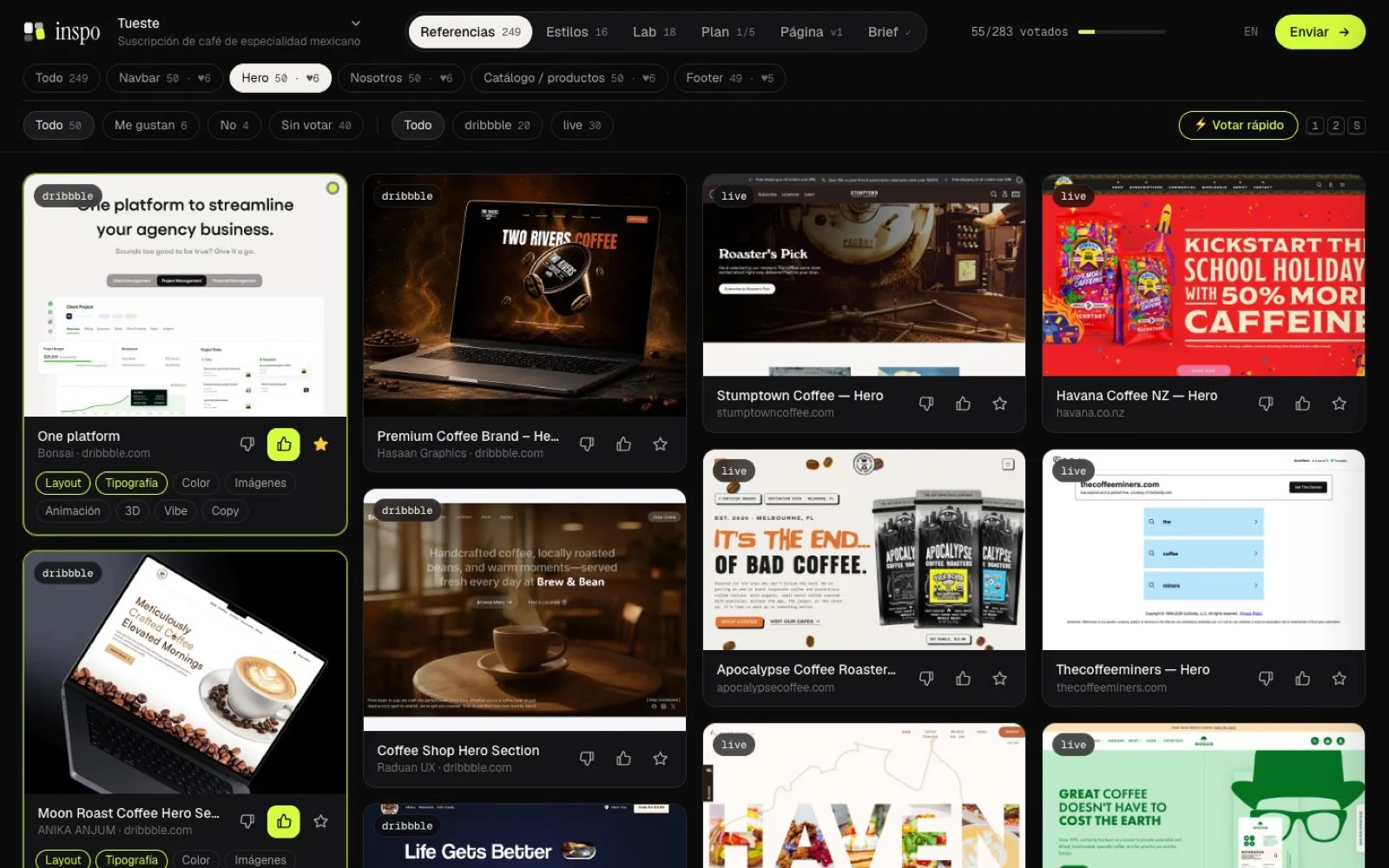
A board opens in your browser (localhost:4777) and fills up live: about 250 references across 5 sections take around 6 minutes.
On each reference you give a 👍, 👎 or ★ and mark why: layout, typography, color, animation… That tells Claude what to take from each image and what to ignore. When you're done, hit Send.
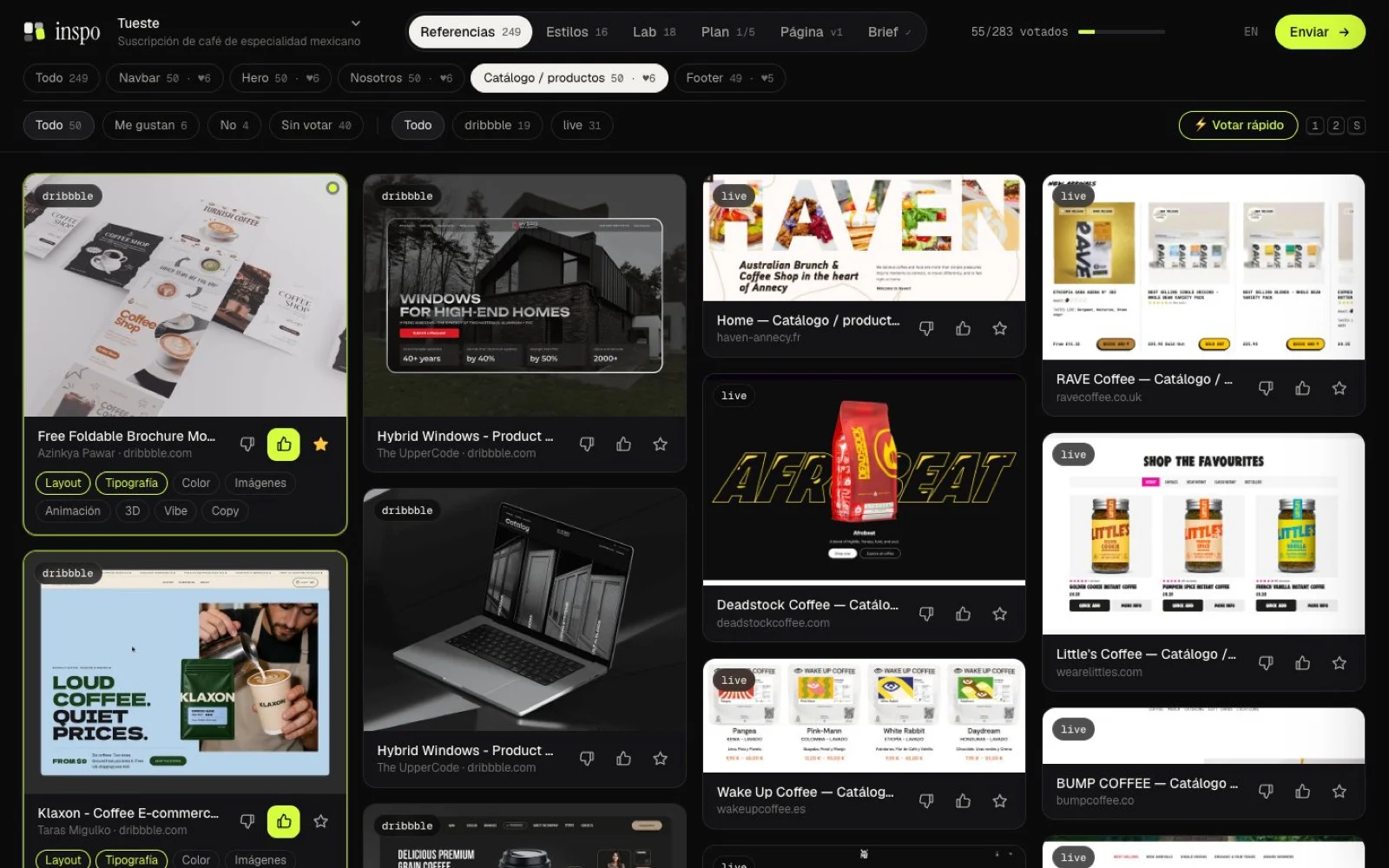
Use ⚡ Quick vote: it shows you one reference at a time and you vote with the keyboard. 1 = like, 2 = dislike, S = star and X = doesn't belong in this section (removes it for good). Everything saves on its own.
Step 5: Pick a style
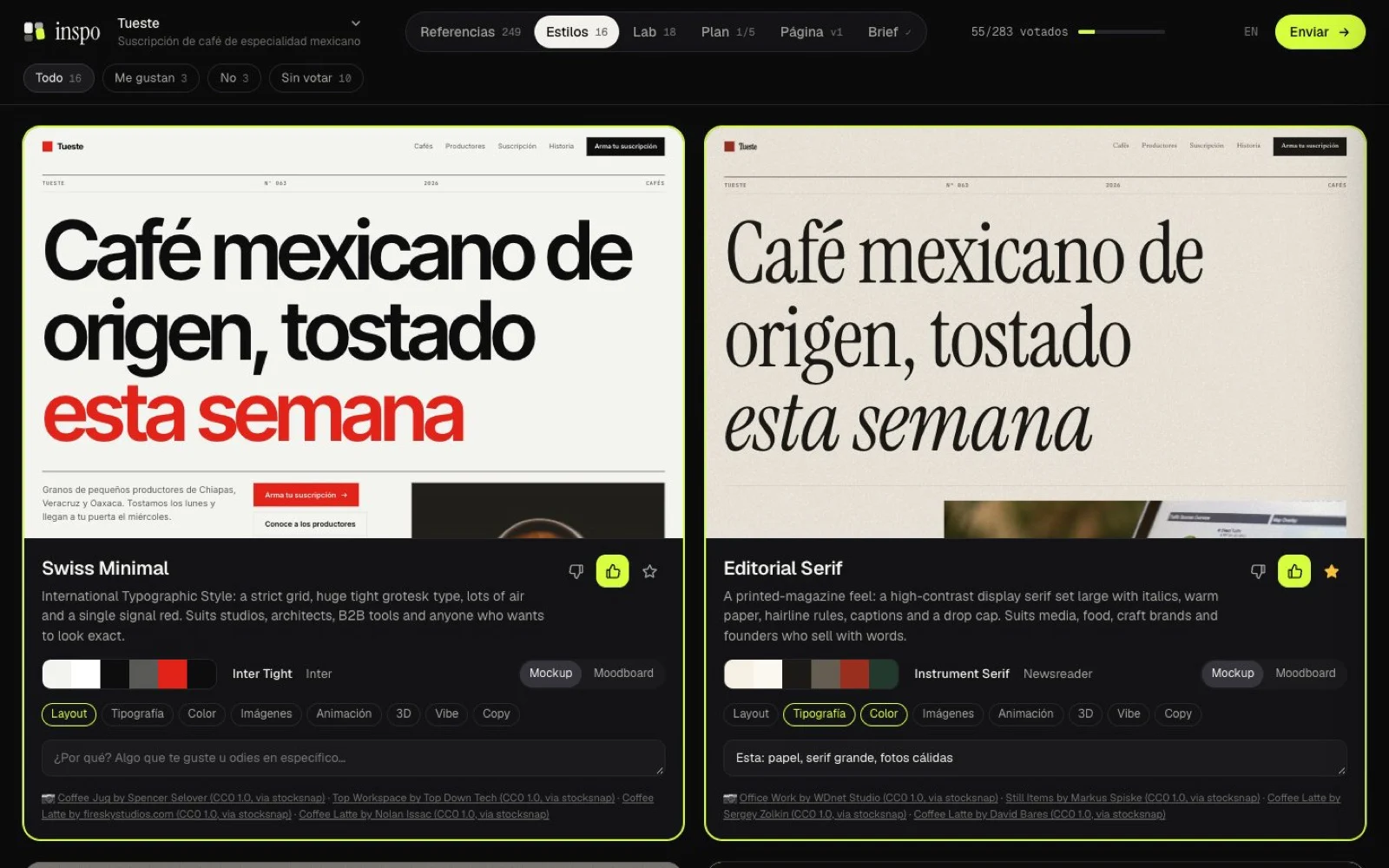
inspo draws your own landing page, with your copy, in 4 to 6 different directions. Each one comes with its own palette, fonts, layout and real, freely licensed photos. There are 16 base styles (Swiss Minimal, Editorial Serif, Neo-Brutalist, Dark Luxury, Organic Soft and more), and Claude adjusts them or comes up with new ones for your idea.
You vote the same way you did with the references.
Step 6: Add effects from the Lab
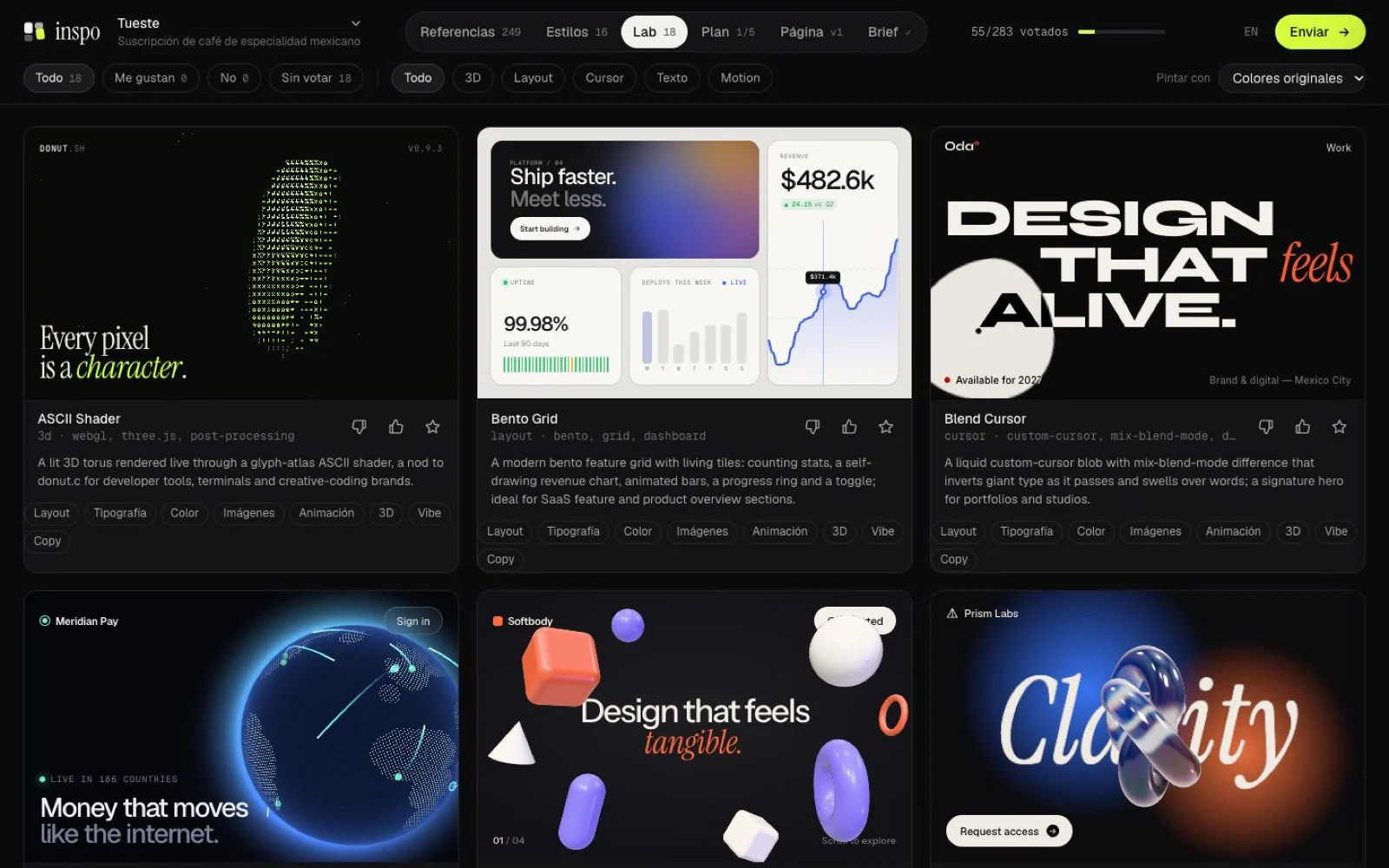
The Lab has 18 components running live: shaders, a dotted globe, a glass knot, particle galaxies, cards that stack as you scroll, magnetic buttons, text that reveals itself… and Claude writes new ones for your idea.
You can repaint all of them in the style you liked. When you pick one, Claude brings it into your project's code.
Step 7: Review the plan
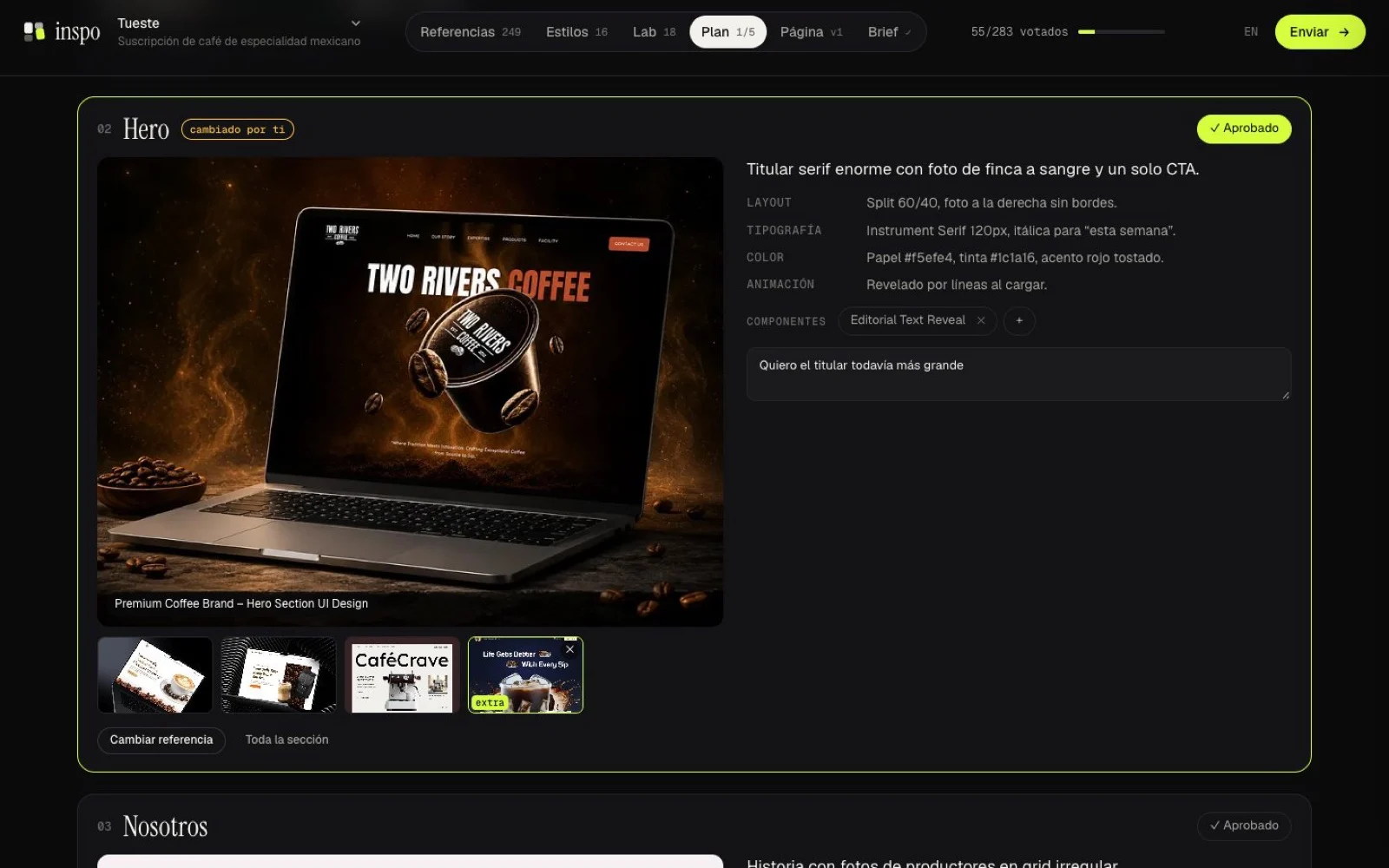
After you vote, Claude analyzes your favorites and writes the plan for each section: the main reference, alternatives and what to take from each one (layout, typography, color, images, animation).
You can swap the reference for any of your likes, change the style and leave notes. Once you approve it, Claude builds from that plan.
Step 8: Comment on the page until it's right
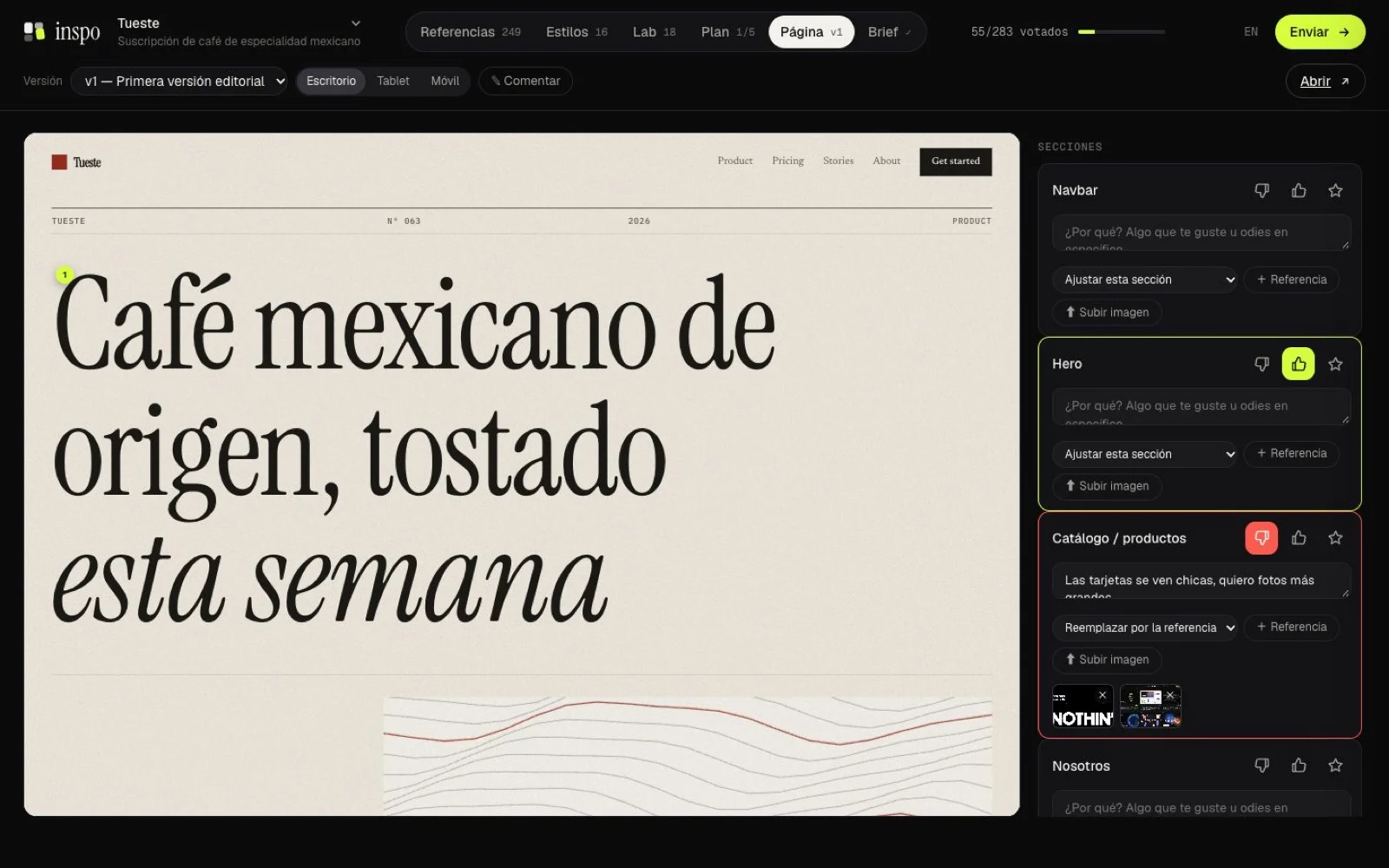
Claude publishes the page in the Page tab, with desktop, tablet and phone views. You vote and comment on each section, or turn on Comment and click anywhere on the page to leave a note right there.
Each comment can include a reference image and an action: adjust, replace the section with the reference, add a section above, or add one below. Hit Send and Claude publishes v2, v3… all on the same board.
Be specific about your business. “B2B tire distributor for auto repair shops” gets you much better references than “website for a business”. Also give it sites from your industry that you admire, and use the X to remove anything generic.
Step 9: Take the PDF report with you
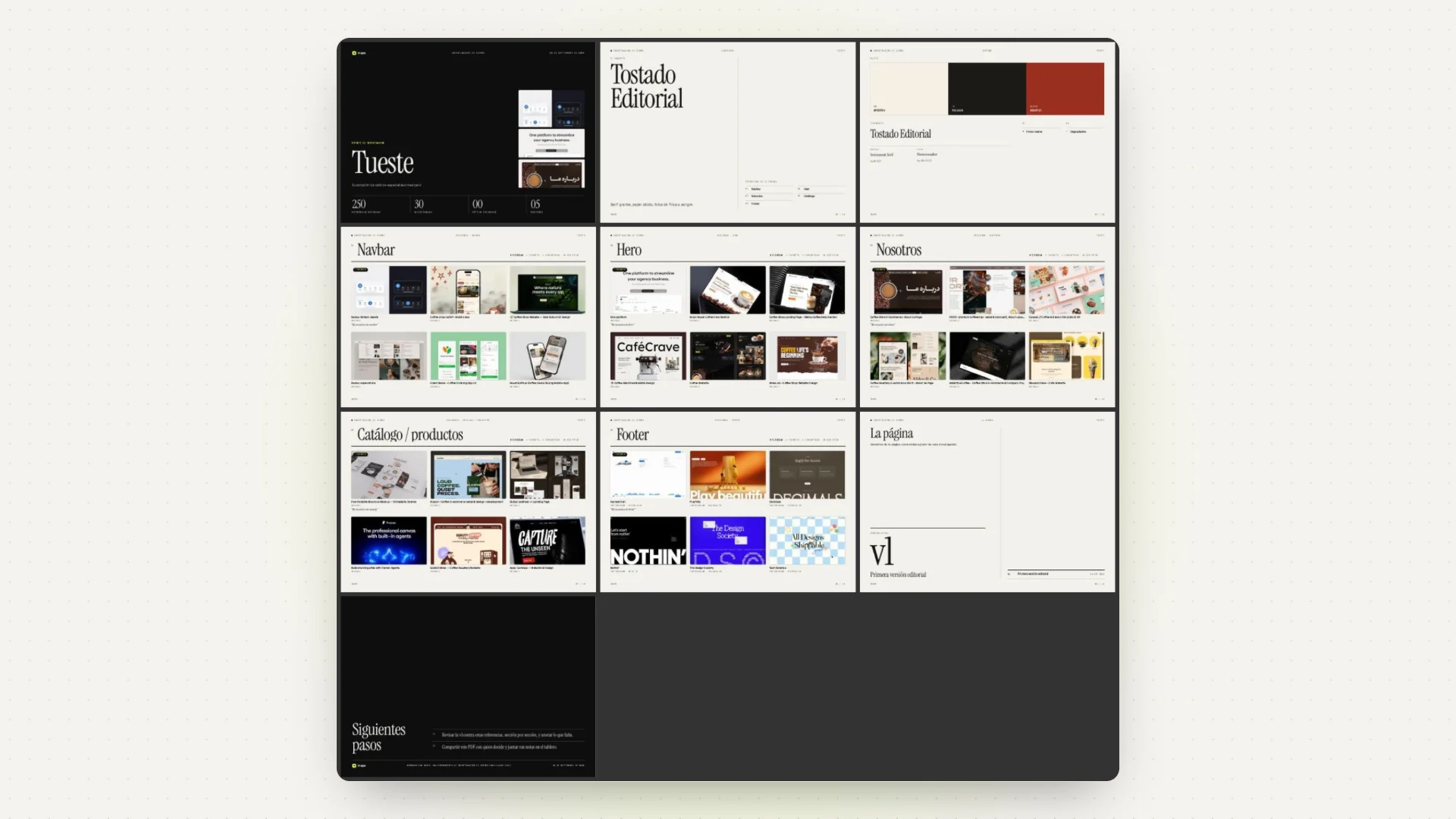
When you finish the round of votes, inspo exports a studio-quality report: cover, direction, the winning references for each section with your notes, the styles, the components and the current page. It works for presenting to a client or for keeping a record of the decision.
If you want it again, ask Claude: “export the inspo PDF for me”.
Step 10: Also for web systems and apps
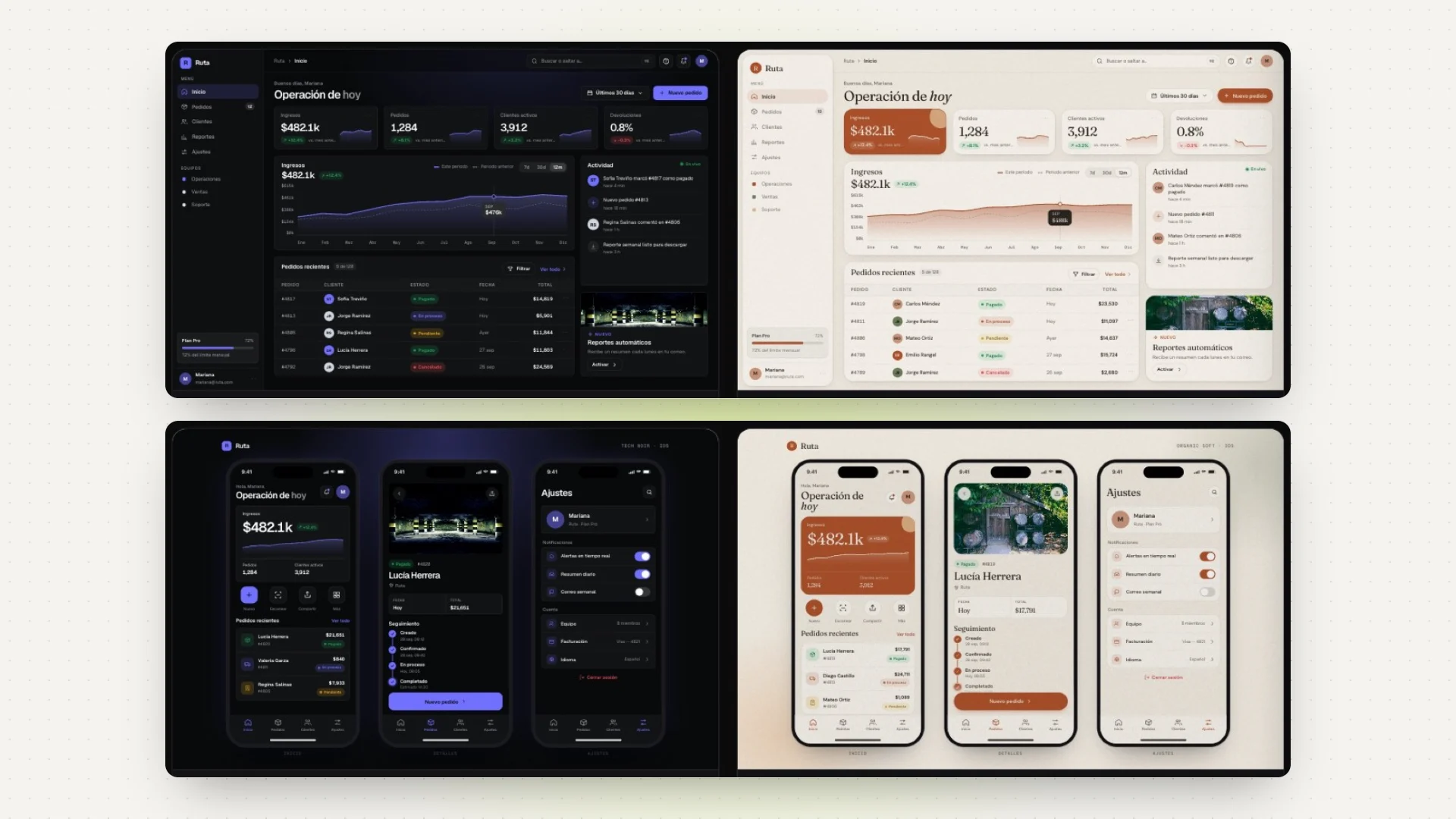
If you're building a dashboard, an admin panel or an app, inspo researches screens instead of sections: login, onboarding, dashboard, tables, forms, settings, profile, checkout… The styles are drawn as a dashboard with your data or as three phone screens, and Claude builds a clickable prototype.
The screens come from real products (SaaS Interface), from Dribbble filtered by platform, and from Mobbin if you sign in with your account.
Useful commands (in the Terminal, inside the inspo folder)
node bin/inspo.js serve      # opens the board for your latest session
node bin/inspo.js sessions   # lists your sessions
node bin/inspo.js doctor     # checks Chrome, the network and every gallery
node bin/inspo.js login mobbin   # signs in to Mobbin once
If a gallery stops returning results, run doctor: it tells you which one is failing. Everything for each project is saved in the .inspo folder inside your project (references, votes, versions and DESIGN.md), and nothing leaves your computer except the site visits it makes for research. Take principles, not pixels: inspo is for getting inspired, not for cloning sites.
Resource — The code, setup for Cursor and Claude Desktop, and the full list of tools.
Want your page made this way? We research it, design it with you and build it. Send me a message.