Guide · 3 steps
Instagram posts with AI
How to make Instagram posts that don't look like AI, using Claude and Higgsfield.

Your content studio on autopilot
In this guide you set up a system where AI makes Instagram posts in your brand for you: images, copy and slides ready to upload. All you need is Claude (the app), the Higgsfield connector for images, and a prompt. It takes ~15 min to set up once; after that, you just ask.
Read first: Connect Claude with Higgsfield
Step 3: The Claude app, in Cowork
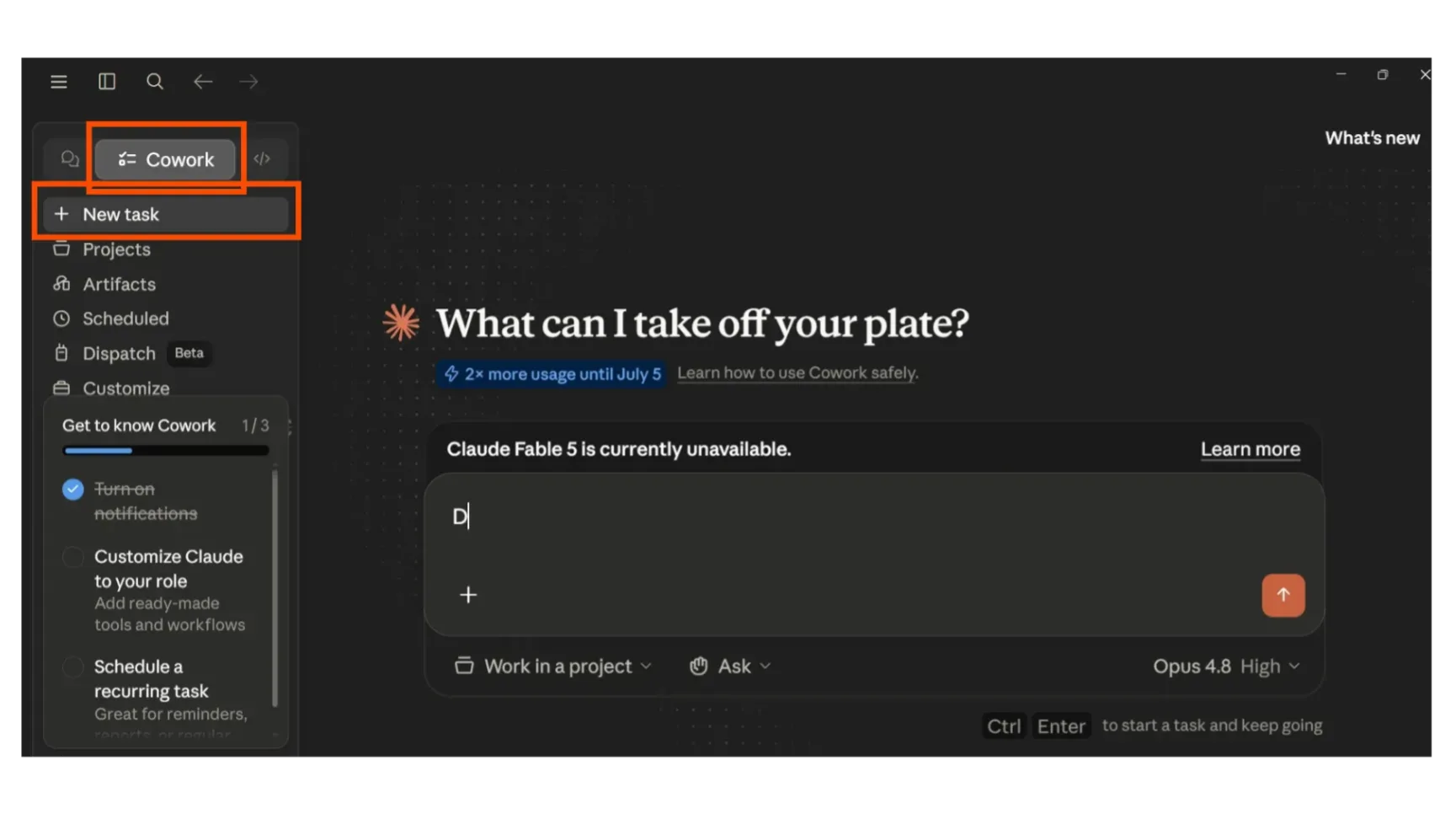
Make sure you're in the Claude app you installed in step 1, and that you're in Cowork.
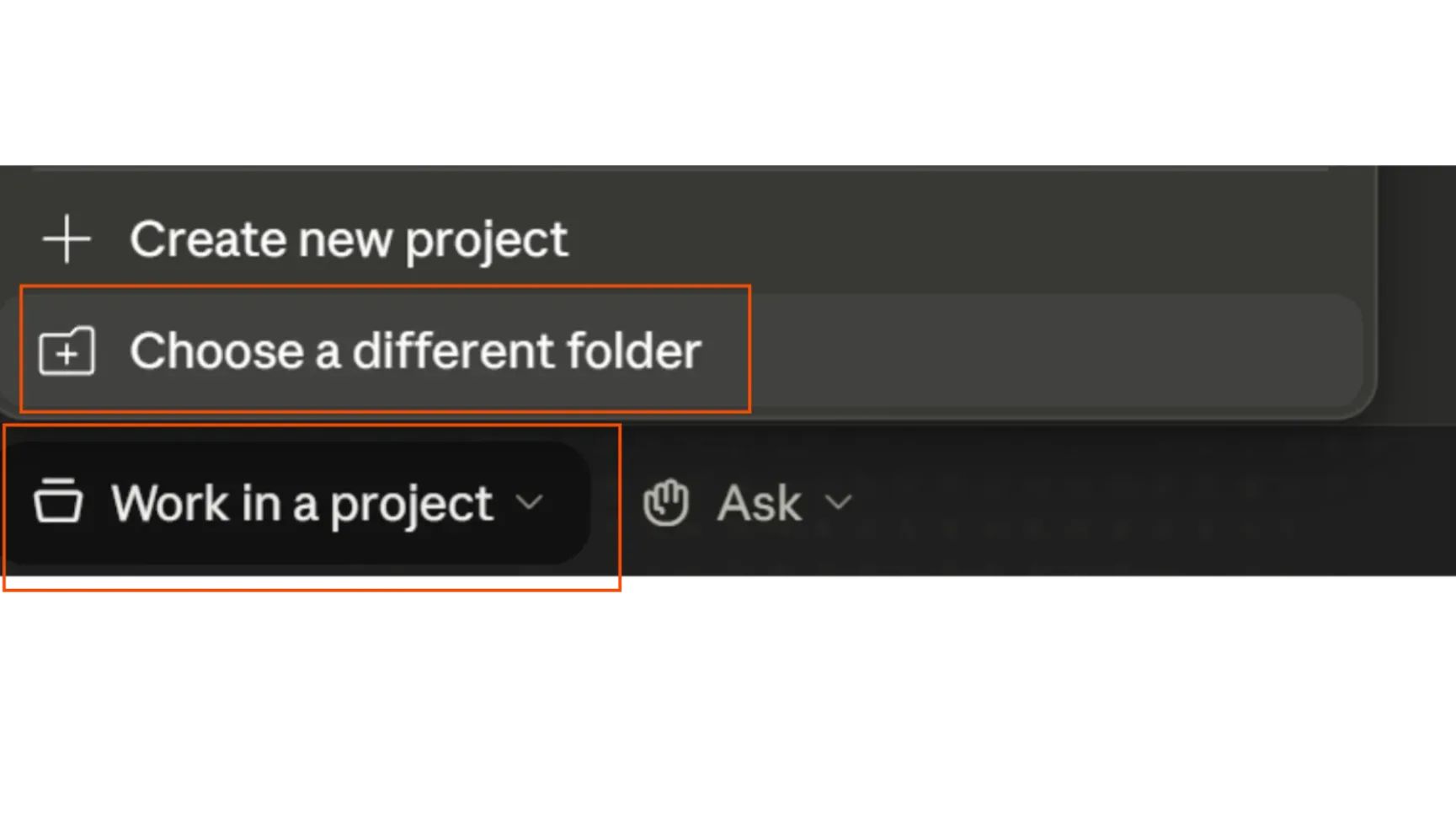
There, create a project and pick a folder.
That way it can save your posts on your computer and get to your logos, brand guidelines and so on.
Step 4: Create your post
Now you have Claude and Higgsfield working together. Next, give it your idea, work inside a folder, and let it make the images for you.
One thing: what I recommend is having it build the posts as HTML images and drop the Higgsfield images into them. The idea is to use Higgsfield for the images, while Claude builds the posts in HTML.
You won't be able to customize them yourself, but from what I've seen, it's the best way to make them.
You can also do it with Canva. I already have a guide on that, you'll find it below :)
Paste this prompt into Claude
Act as my creative director, content strategist and brand designer. We're going to set up a mini studio that makes Instagram posts in my brand, ready to upload. Write in English, with sound judgment and good taste.
STEP 1 — Get to know me. Ask me these questions ONE AT A TIME (wait for my answer; if I don't know something, suggest an option yourself):

What's your brand called and what does it do, in one sentence? 2) What do you want your posts to achieve? 3) Your colors (hex)? 4) Do you have a logo? Send me the file. 5) Visual style and fonts? 6) Your voice/tone + 1-2 accounts you admire? 7) Who are you talking to? 8) What's today's post about?

STEP 2 — Brand sheet. Sum it all up (name, promise, colors, fonts, voice, audience, do's & don'ts) and save it as marca.md so you can reuse it.
STEP 3 — Design the carousel. 6–8 slides at 1080×1350, one accent color, clear hierarchy, lots of white space. Cover with a hook → 1 idea per slide → close with a CTA. Images with Higgsfield (upload logos as references if needed). No filler, no typos.
STEP 4 — Copy. Caption with a hook + CTA + question, 5 hashtags, an idea for the first comment.
STEP 5 — Delivery. Render PNG + an editable file, ask me which folder to save it in and save everything there. Show it to me for approval and iterate.
If something isn't clear, ask instead of making things up. Start with the first question.
Save your “brand sheet” (name, colors, logo, voice) in a file. Next time, just hand it to Claude and it skips all the questions — straight to the post.
Step 5: Save them to my computer
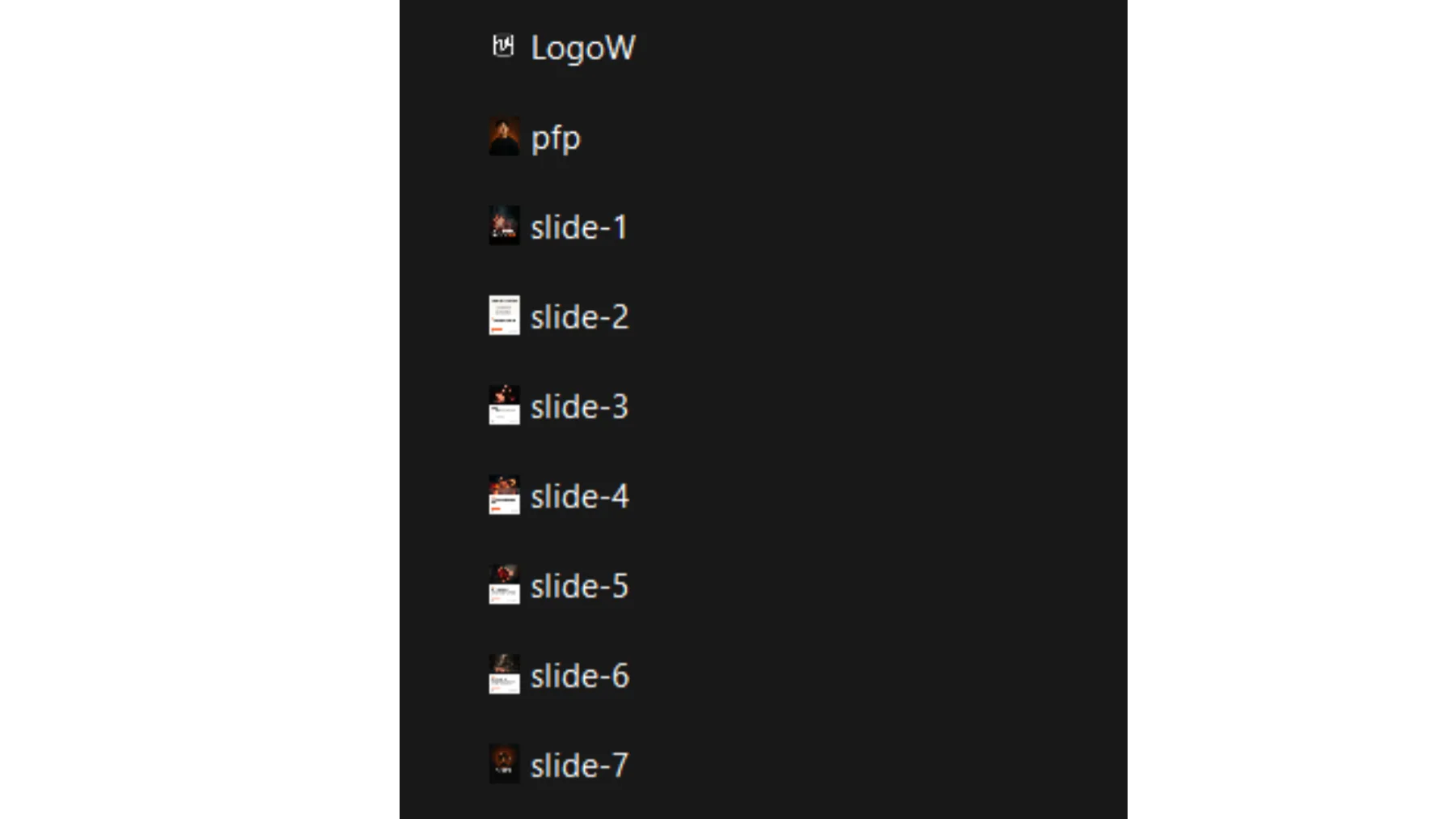
When it's done, tell it: “save everything to a folder on my computer”, the one you picked in step 3. Claude puts the PNG slides, the caption and the editable file in that folder. Done: open it, check it and upload to Instagram.
Need help with your AI strategy? Let's talk about how to bring these tools into your business. Send me a WhatsApp!